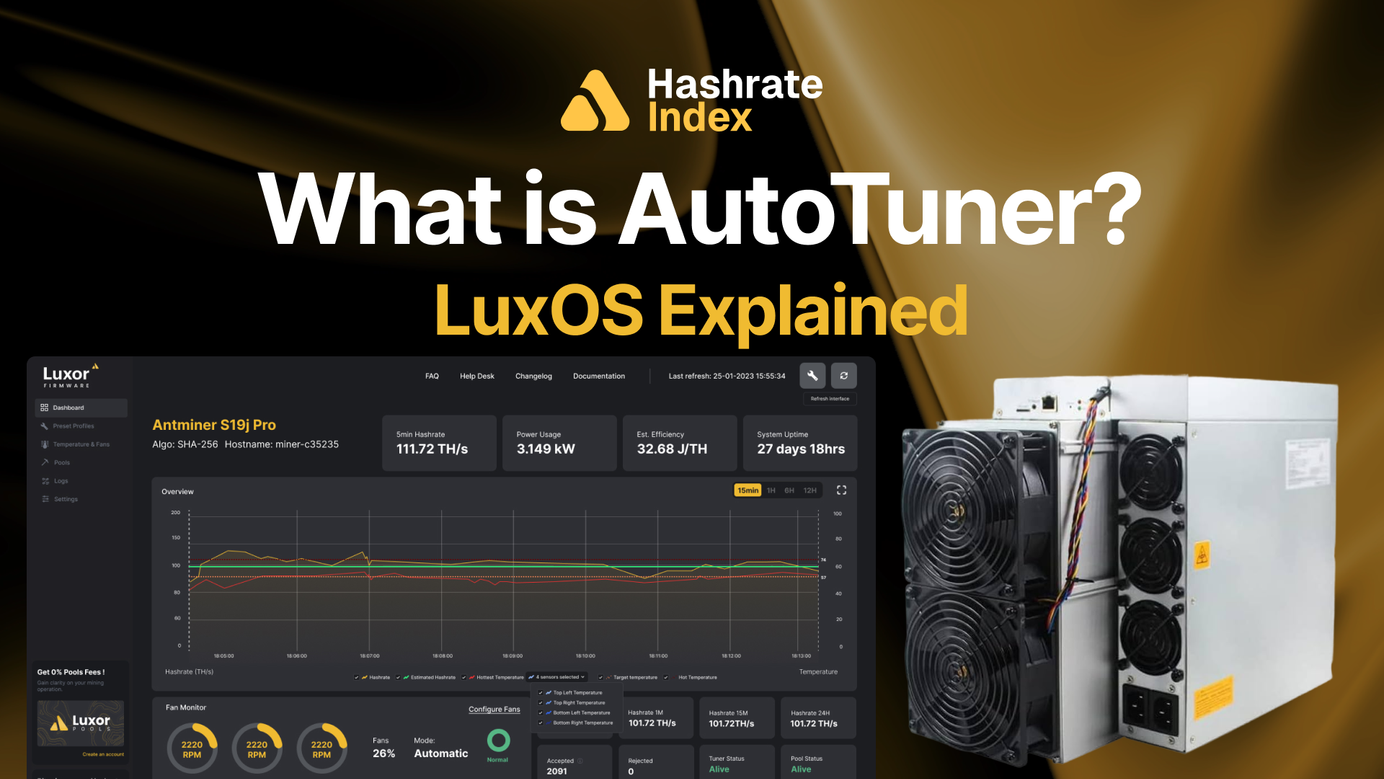
Firmware Features Series – What Is AutoTuner? LuxOS Explained
Every ASIC ships from the factory with more voltage than necessary. AutoTuner claws it back.

This post is part of Luxor's Firmware Features Series, which covers the core Bitcoin mining concepts behind the flexible firmware features that give operators custom control over performance and profitability.
Every ASIC ships from the factory with more voltage than necessary. That cushion is a stability margin, but it is also wasted power. LuxOS’ AutoTuner is how you claw it back.
TLDR
- AutoTuner continuously adjusts an ASIC’s voltage and frequency to hold your target hashrate at the lowest stable power draw.
- LuxOS’ AutoTuner finds the minimum voltage a board needs at a given frequency, reclaiming the extra margin factories build in.
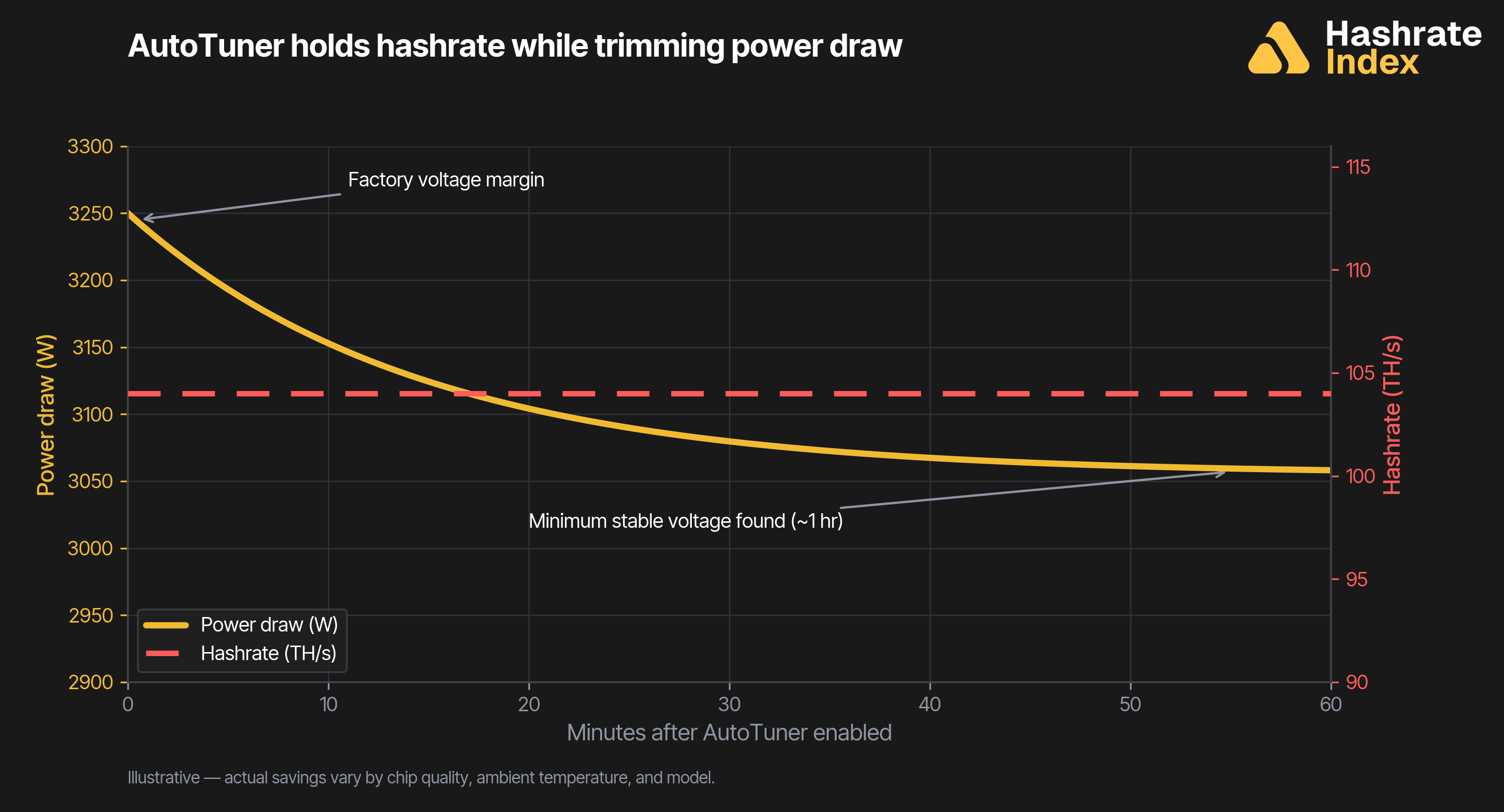
- It tunes while the miner hashes — no downtime, no hashrate loss — and reaches optimal settings within about an hour.
- On supported models it can hold a fixed power target in watts instead of a frequency.
- Turn it on in one click via Commander, Web UI, or API.
What is AutoTuner?
AutoTuner is a firmware feature — a control loop that automatically tunes an ASIC’s voltage and frequency to run as efficiently as possible. Frequency sets the hashrate: an Antminer S19j Pro at 545 MHz produces roughly 104 TH/s. Voltage sets stability: a board needs a minimum voltage to hash reliably at a given frequency, and the higher the frequency, the more voltage it needs.
Factory firmware plays it safe. It applies a single voltage high enough to keep every chip stable across every climate condition the machine might ship into — conservative by design. LuxOS’ AutoTuner reclaims that headroom. It searches for the lowest voltage a board can hold at your target frequency, then settles there. Hashrate stays put; power draw falls. On supported models, AutoTuner can instead hold a fixed power target in watts and let frequency follow.
Why AutoTuner Matters
Efficiency is the cheapest hashrate you will ever add. Trimming watts at a constant hashrate lowers your J/TH, which means more sats mined per kilowatt-hour:
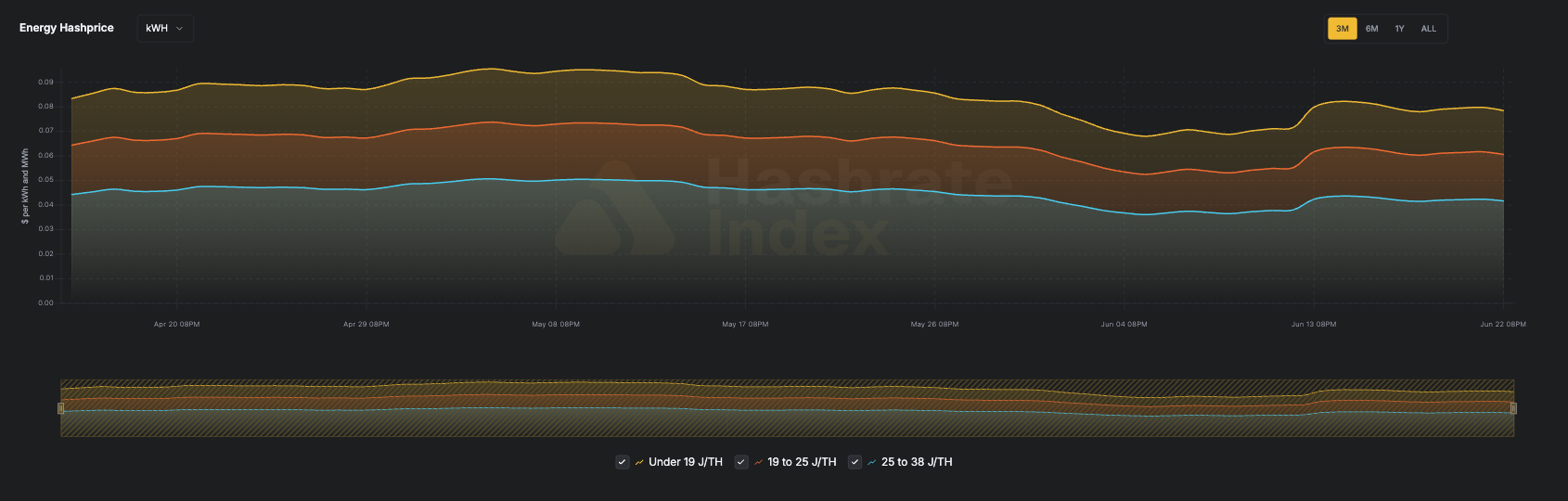
When hashprice is high, that efficiency compounds your upside; when hashprice falls, it is the margin that keeps your machine online in low-hashprice environments.
- No-touch operation: AutoTuner runs continuously in the background, recalibrating as temperature and conditions change — no restarts, no downtime.
- No hashrate trade-off: tuning happens while the miner hashes, reaching optimal settings within about an hour, and your hashrate never drops to get there.
- Healthier hardware: lower voltage means lower temperatures, and lower temperatures mean fewer failures and longer machine life.
- Plays well with others: it works alongside Advanced Thermal Management (ATM) and preset profiles, so efficiency and heat protection run together.
How To Enable AutoTuner
You can turn AutoTuner on in three ways:
- During LuxOS install — choose Configure Installation and enable AutoTuner before the firmware lands.
- In Commander — select your miners, open Configure Miners, go to the Power tab, set Autotuner Mode to Enable, then Review and Apply across the whole fleet at once.
- Via the API — call autotunerset to enable tuning as part of a provisioning script.
A few things to know. AutoTuner does not touch custom profiles — when you hand-set a voltage and frequency, it assumes you meant it. On power-targeting models, profile tuning and power targeting cannot run at the same time; the firmware uses whichever you have enabled. And if a machine moves or its environment changes substantially, restore and retune so AutoTuner can recalibrate.
FAQ
Does autotuning lower my hashrate? No. AutoTuner holds your target frequency (and therefore your hashrate), and lowers voltage to the minimum that keeps it stable.
How long does AutoTuner take? Roughly an hour to converge, though it varies with ambient temperature, chip health, and model.
Is autotuning the same as overclocking? No. Overclocking raises frequency to add hashrate; autotuning optimizes voltage at whatever frequency you have selected. You can do both — preset profiles set the frequency, AutoTuner makes it efficient.
Which miners are supported? Select Bitmain Antminer and MicroBT Whatsminer models. Check the LuxOS compatibility list for your exact machine model.
Conclusion
Most fleets leave efficiency on the table simply because factory voltage is set for the worst case, not their case. AutoTuner closes that gap. Enable it once and it keeps working — quietly lowering your cost per terahash for as long as the machine runs.
Flexible firmware is the highest-leverage, lowest-cost operational improvement available right now. No hardware purchase required, no power contract change, no infrastructure upgrade. Install LuxOS, turn AutoTuner on, and your fleet is immediately more competitive.
Ready to tune? Download LuxOS Commander and enable AutoTuner in a few clicks.
If you’d like to learn more about Luxor’s full-stack Bitcoin mining services, please reach out to [email protected] or visit https://luxor.tech.
About Luxor Technology Corporation
Luxor delivers hardware, software, and financial services that power the global compute and energy industry. Its product suite spans Bitcoin Mining Pools, ASIC Firmware, Hardware trading, Hashrate Derivatives, Energy services, a Miner Management software, Commander, and a bitcoin mining data platform, Hashrate Index.
Disclaimer
This content is for informational purposes only, you should not construe any such information or other material as legal, investment, financial, or other advice.

Hashrate Index Newsletter
Join the newsletter to receive the latest updates in your inbox.