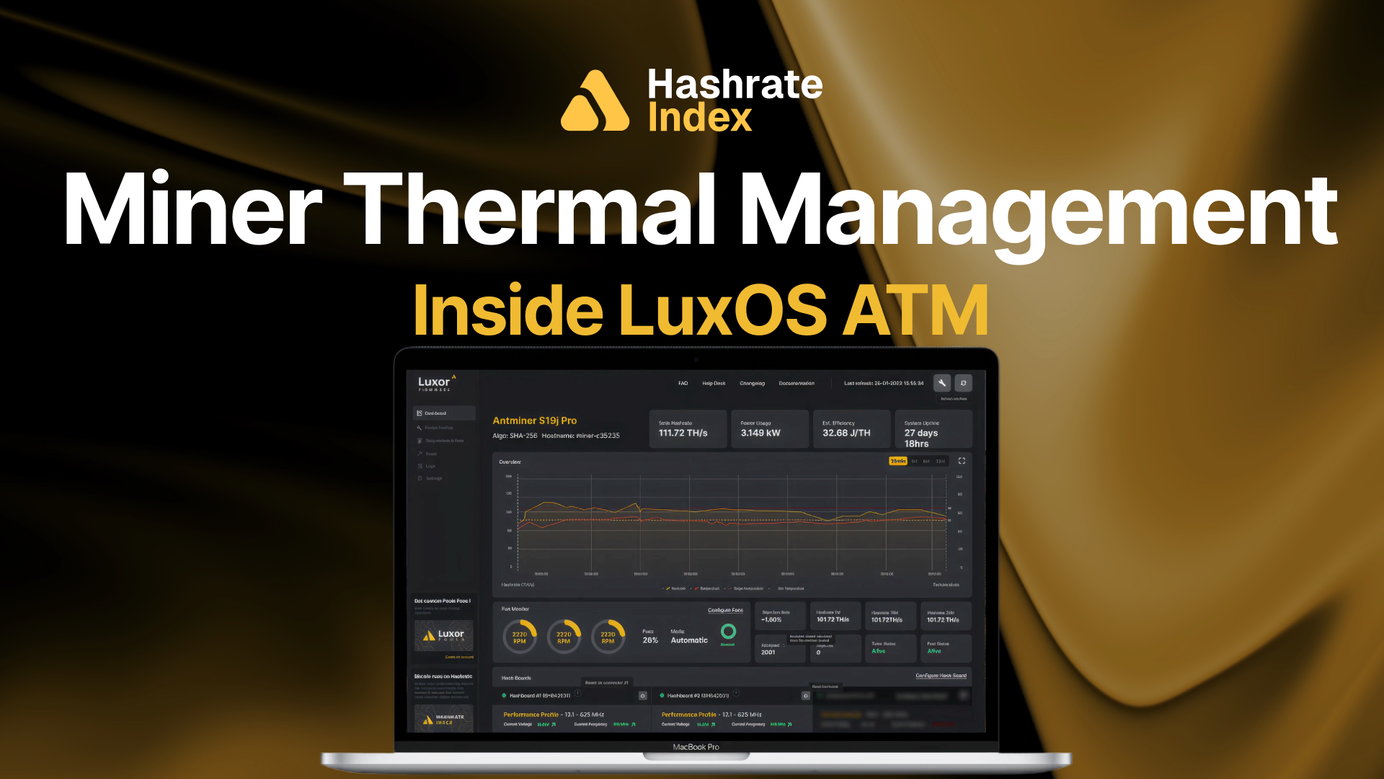
Firmware Features Series – Miner Thermal Management: Inside LuxOS ATM
Heat is an unavoidable tax. The question is how to pay.

This post is part of Luxor's Firmware Features Series, which covers the core Bitcoin mining concepts behind the flexible firmware features that give operators custom control over performance and profitability.
Heat is the thermal tax every miner pays. The question is whether you pay it in controlled, temporary underclocks — or in shutdowns, failed boards, and shortened machine life.
TLDR
- Advanced Thermal Management (ATM) dynamically adjusts a miner’s frequency and voltage based on temperature — underclocking as heat rises, restoring (or overclocking) as it cools.
- Unlike stock firmware’s Low-Power-Mode (LPM), which applies a flat 25% underclock, ATM cuts only as much as conditions require, and only for as long as they require it.
- It reads every sensor the hardware offers: hashboard temps on all models, on-die chip temps and water-inlet temps where available.
- ATM needs no integrations, triggers, or human intervention, and it helps extend equipment life through lower operating temperatures.
What is Miner Thermal Management?
Thermal management is everything a mining operation does to keep ASICs within their safe operating range: facility airflow, fan curves, and — at the firmware layer — how the machine itself responds when temperatures climb. Stock firmware’s answer is blunt and binary: run until the shutdown temperature, then power off and lose all hashrate production. Advanced Thermal Management (ATM) on Luxor firmware (LuxOS) replaces that cliff with a slope.
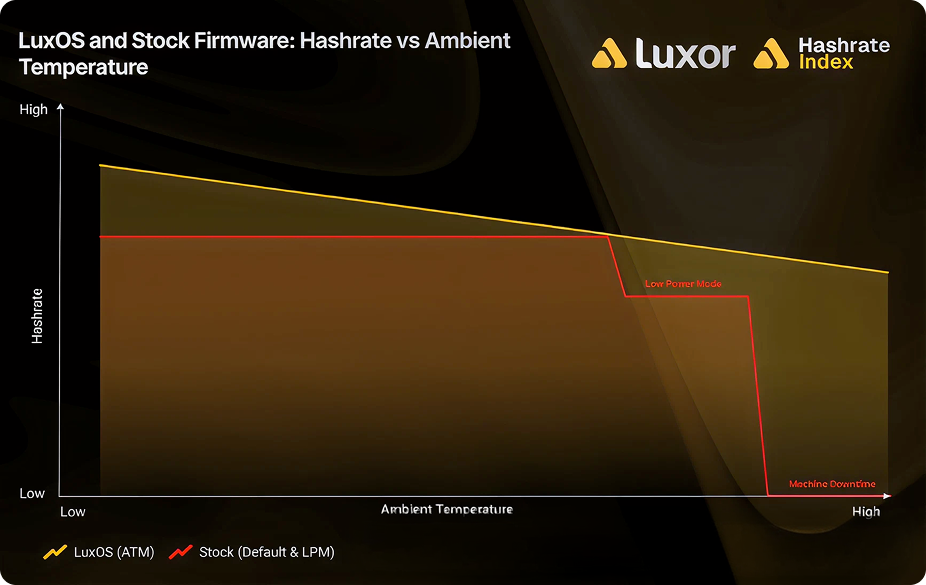
A miner running LuxOS and utilizing ATM automatically adjusts its performance profile to optimize for the current ambient temperature. It keeps the machine online and running when temperatures are hot, and it gains more hashrate when temperatures are cold. As temperatures rise, ATM smoothly steps the miner down through profiles (or power targets); as they fall, it steps back up to stock (or beyond it, if you allow overclocking). The deepest underclocks come in only at peak heat periods, and the machine claws back that unharvested hashrate through overclocking during cooler periods.
Meanwhile, machines on stock firmware only get two binary profile choices: Default and Low-Power-Mode (LPM) with a flat 25% underclock. The shortfall is two-fold: running at Default mode without underclocking during hot temperature periods may result in overheating-induced shutdown, and the miner can't overclock when appropriate, leaving potential hashrate production on the table.
How ATM Decides
- Hashboard temperature is the core input on every supported model; ATM acts on the highest reading across all board sensors.
- Chip temperature joins the decision on hardware with real on-die sensors — a hot reading from either source can trigger a step down, and every reading must be cool before ATM steps back up.
- Water-inlet temperature is added on hydro-cooled miners. One caveat: inlet-based ATM is a system-wide lever, so configure it on every miner sharing the cooling loop, or the configured machines end up over/under-clocked while the rest run at full power.
- Two settings do most of the work. The maximum profile caps how high ATM may push when it’s cool; the temperature buffer (default 8°C below the hot temperature) decides when stepping back up is safe, so the miner doesn’t oscillate. Leave the minimum profile unbounded and ATM can always underclock deep enough to avoid a forced shutdown.
How to enable ATM
You can turn ATM on in three ways:
- In Commander — select your miners, open Configure Miners, switch the ATM tab to ON, and set your max profile. Apply across the fleet at once.
- In Web UI — under Temperature & Fans, toggle Advanced Thermal Management and save.
- Via the API — the atmset command enables and configures ATM programmatically.
Good facility design still matters — firmware can’t fix recirculating exhaust. Pair ATM with sound airflow design, and it becomes the difference between a hot week costing you a few percent versus whole machine-days.
FAQ
Does ATM reduce my hashrate? Only while temperatures demand it. The whole point is that these cuts are proportional and temporary — ATM restores stock settings (or overclocks) the moment conditions allow.
Does ATM need external software or triggers? No. It runs entirely on the miner, with no integrations or human intervention.
What temperatures does ATM use? The highest hashboard reading on all models, plus real chip temps and water-inlet temps on hardware that reports them.
Does running cooler actually extend machine life? Yes — lower operating temperatures mean fewer failures and a longer operational lifetime, which is part of ATM’s design intent.
Conclusion
In high-ambient environments, the choice isn’t between full hashrate and partially reduced hashrate — it’s between reduced hashrate and zero. ATM keeps machines hashing through conditions that shut stock firmware down, and gives performance back the moment the heat breaks.
Download LuxOS and turn it on across your fleet:
If you’d like to learn more about Luxor’s full-stack Bitcoin mining services, please reach out to [email protected] or visit https://luxor.tech.
About Luxor Technology Corporation
Luxor delivers hardware, software, and financial services that power the global compute and energy industry. Its product suite spans Bitcoin Mining Pools, ASIC Firmware, Hardware trading, Hashrate Derivatives, Energy services, a Miner Management software, Commander, and a bitcoin mining data platform, Hashrate Index.
Disclaimer
This content is for informational purposes only, you should not construe any such information or other material as legal, investment, financial, or other advice.

Hashrate Index Newsletter
Join the newsletter to receive the latest updates in your inbox.